Approvals
Your team works on its own, but anything that leaves your company waits for you. That is the deal: they do the work, you make the calls.
What needs your OK
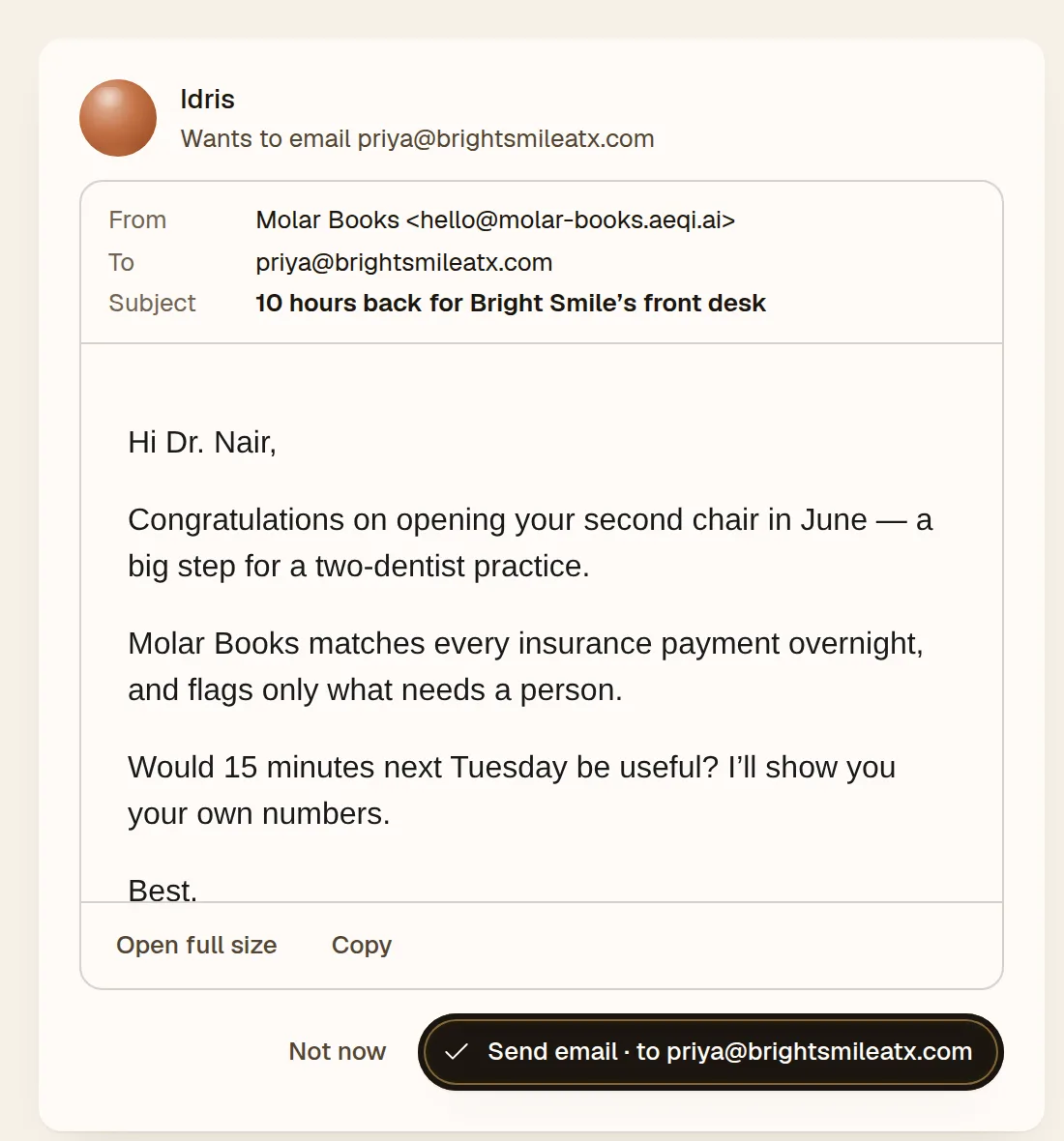
- Emails to anyone outside your company. You read the whole email before it goes.
- Your live website. Your team prepares changes on a preview; the live site changes only when you publish.
- Posts. Juno drafts them; approving copies the text so you can post it yourself.
- Anything unusual an agent wants to run on your company's computer.
- Big pieces of work an agent starts on its own that would use a large share of the month's AI credits. Work you ask for is never held.
- Finished tasks. When an agent says something is done, your yes closes it.
- Questions. When an agent needs an answer from you, it asks here.
Your agents cannot approve their own requests. Only a person can.
Where approvals appear
Everything waiting on you is in Needs you, at the top of the sidebar, with a count. The same request also shows inside the agent's work (an email draft in Sales, a site change in Engineering) and in the conversation. Answer it in any one place and it is answered everywhere.
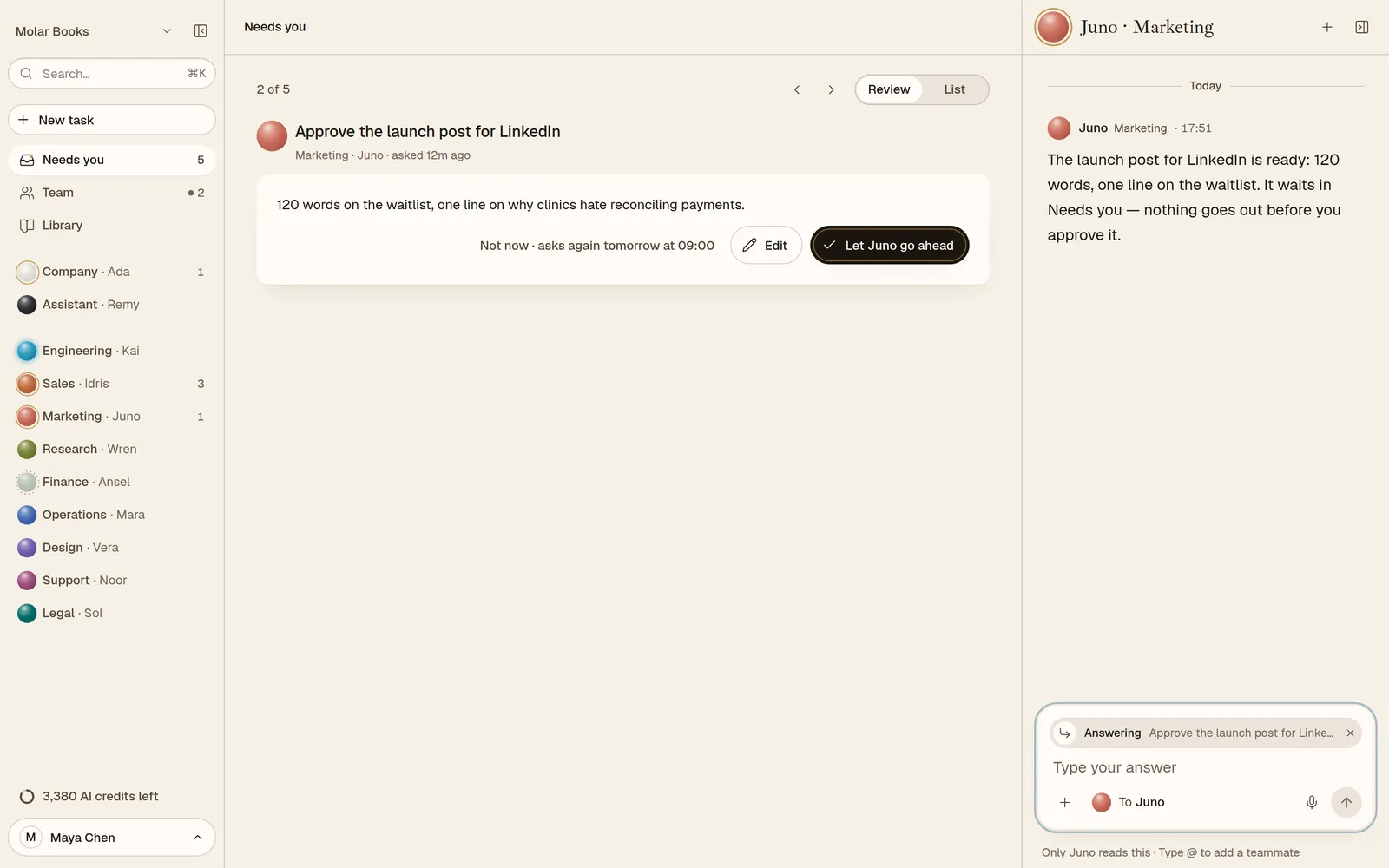
Needs you has two views: Review, one item at a time, and List, everything at once. When nothing is waiting, it says All clear.
Your three choices
Every request ends with the same three buttons:
| Button | What happens |
|---|---|
| The action itself | The button says exactly what will happen: Send email · to Priya, Publish to molar-books.aeqi.ai, Mark done. Press it and it happens, once. |
| Edit | Say what should change. The agent who asked brings it back changed, for your OK. On an email you can simply write your own version. |
| Not now | Set it aside. It comes back tomorrow at 9:00. |
On a keyboard: A approves, E edits, N is not now, and the arrow keys move between items.
Honest outcomes
When you approve an email, AEQI marks it Sent only once it has actually left. If something stopped it, you see that instead. The same goes for publishing your site: the preview and the live site are always shown apart, so you know which one visitors see.
Why it works this way
Inside your company the team gets on with it; at the door, you decide. Why we drew the line there.