Leads and emails
Idris, your sales agent, finds people who might buy from you and drafts the first email to each of them. You read every email before it goes.
How leads are found
Idris starts from what your company knows about your customer, then looks on the web for people and companies who fit. He starts with your first twenty on day one, then adds a few new ones every weekday.
Each lead comes with:
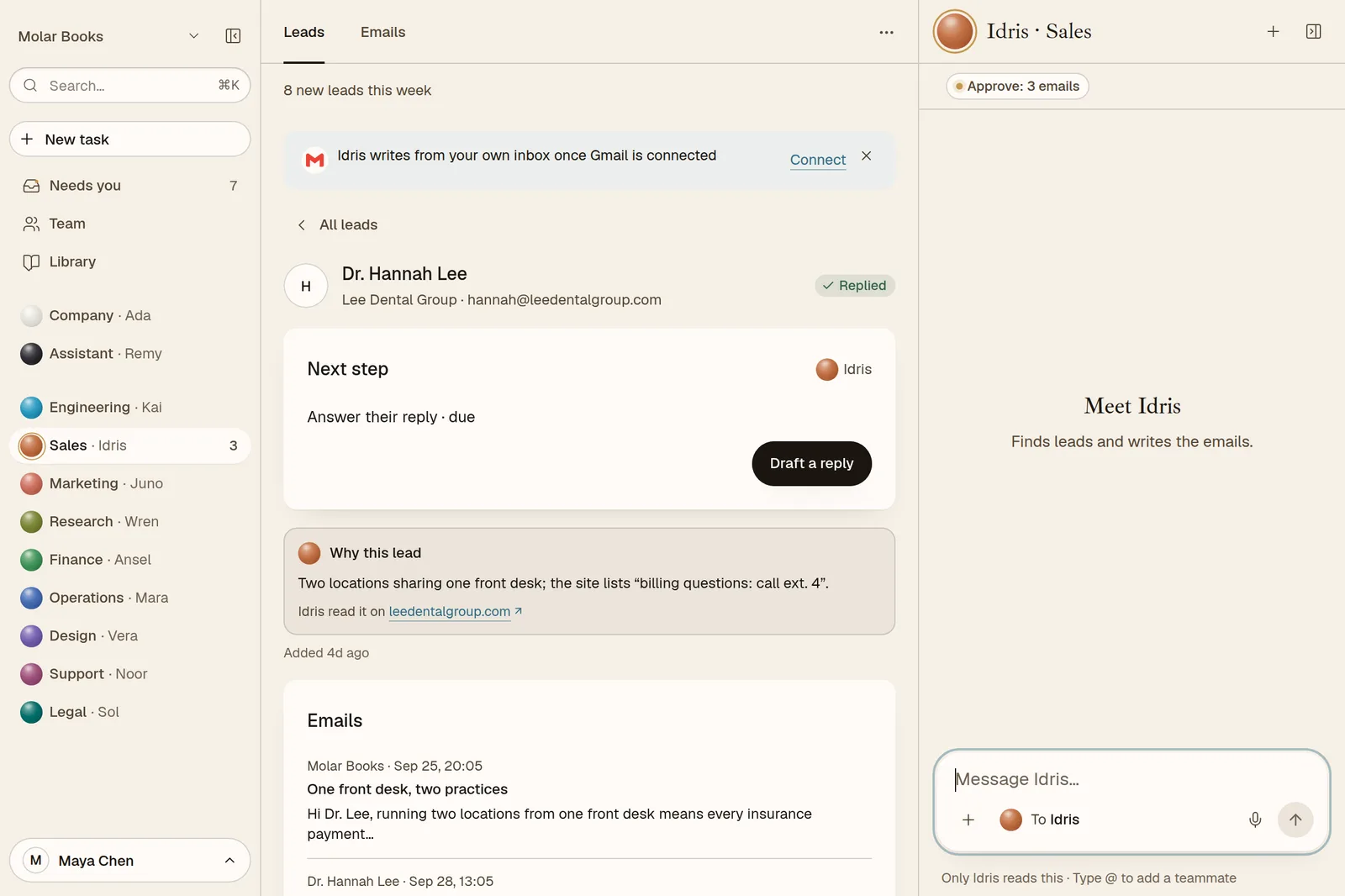
- Why this lead: Idris's note on why they fit, and the page he read, with the line that made him pick them.
- A score: easy, medium or hard to win.
- A stage: New, Contacted, Replied, Meeting, Won. Lost ones fold away.
A competitor, or a company with no way to reach a real person, doesn't count as a lead.
Already have a list? Import it as a CSV and Idris works from that too.
How emails are written
Idris drafts a short, personal first email for each lead, and Juno checks it sounds like you. The drafts wait in Needs you and in the Emails tab of Idris's pane, under Waiting for your yes.
For each draft you can:
- Send it: the button names who it goes to.
- Edit it: tell Idris what to change, or write your own version.
- Not now: it comes back tomorrow.
If someone doesn't reply, Idris drafts one follow-up a few days later, and then stops. No endless sequences.
Which address sends
By default your emails come from your company's own address, hello@yourname.aeqi.ai. Replies come straight back into the conversation the email came from, so Idris sees them and drafts the next step.
Prefer your own mailbox? Connect Gmail, and drafts can go from your own address instead.
To protect your address's reputation, a company sends at most 40 emails a day.
Where to see it all
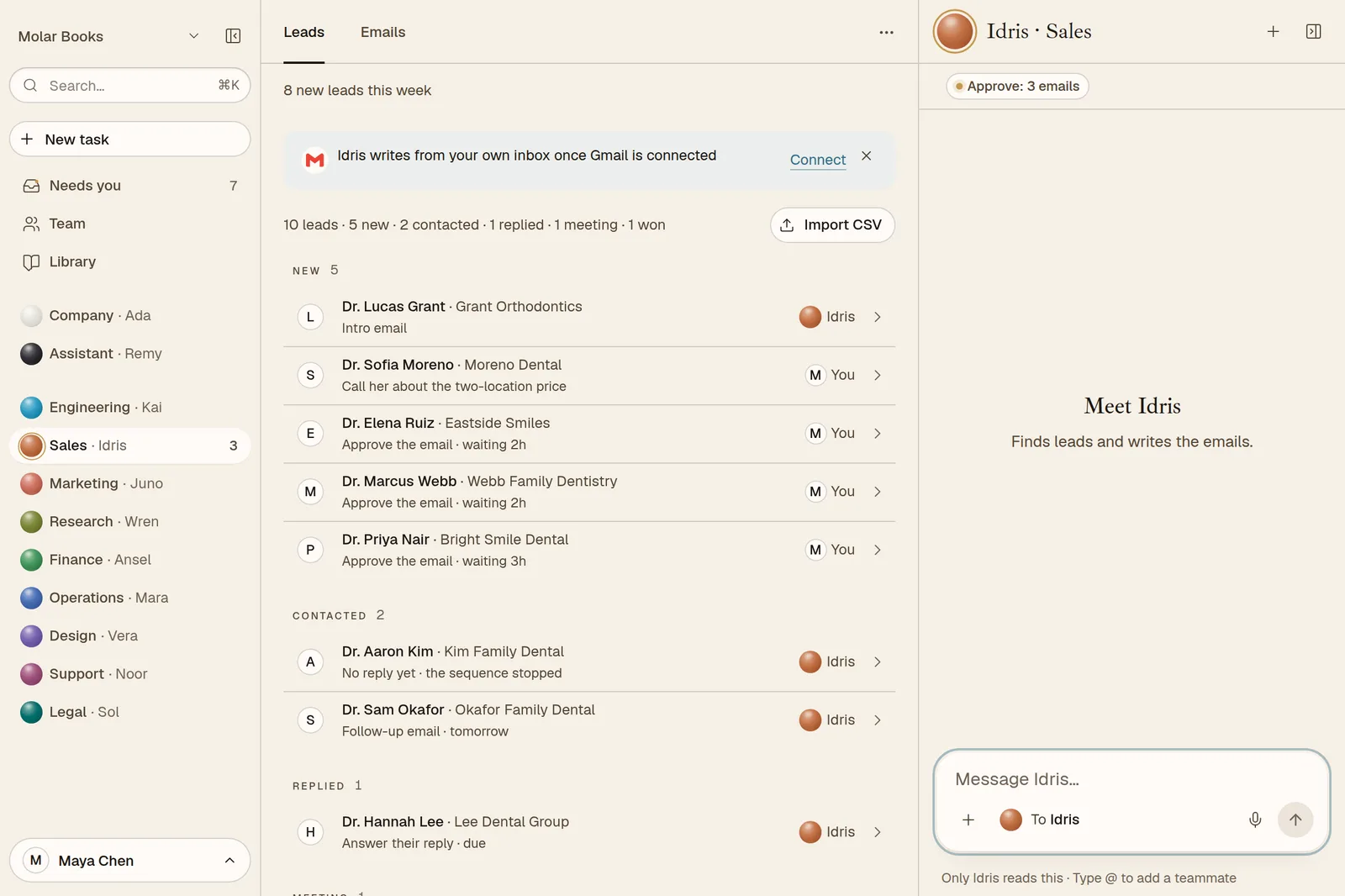
Open Sales · Idris in the sidebar:
- Leads: your pipeline, from New to Won.
- Emails: waiting for your yes, sent and replies, and follow-ups.
Good asks
- "Find 10 more leads like the one who replied yesterday."
- "Only independent clinics with fewer than 10 staff."
- "Draft a follow-up for everyone who hasn't replied."
- "Why did you pick this lead?"