Your website
Your company is born with a real website, live the same day at yourname.aeqi.ai. Kai, your engineer, owns it and improves it every weekday. You decide what goes live.
What you get
- A real site, not a template screenshot. It is written from what you told us about your company and runs on your company's own computer.
- A live address at yourname.aeqi.ai, from your company's name.
- A preview where every change is prepared and checked before anyone sees it.
How changes work
- Kai prepares a change on the preview. On his own every weekday, or when you ask: "Make the headline shorter", "Add a pricing section", "Put our phone number in the footer".
- He checks it on a phone and a desktop.
- You publish. The change waits in Needs you as Publish to yourname.aeqi.ai. Until you press it, visitors keep seeing the live site.
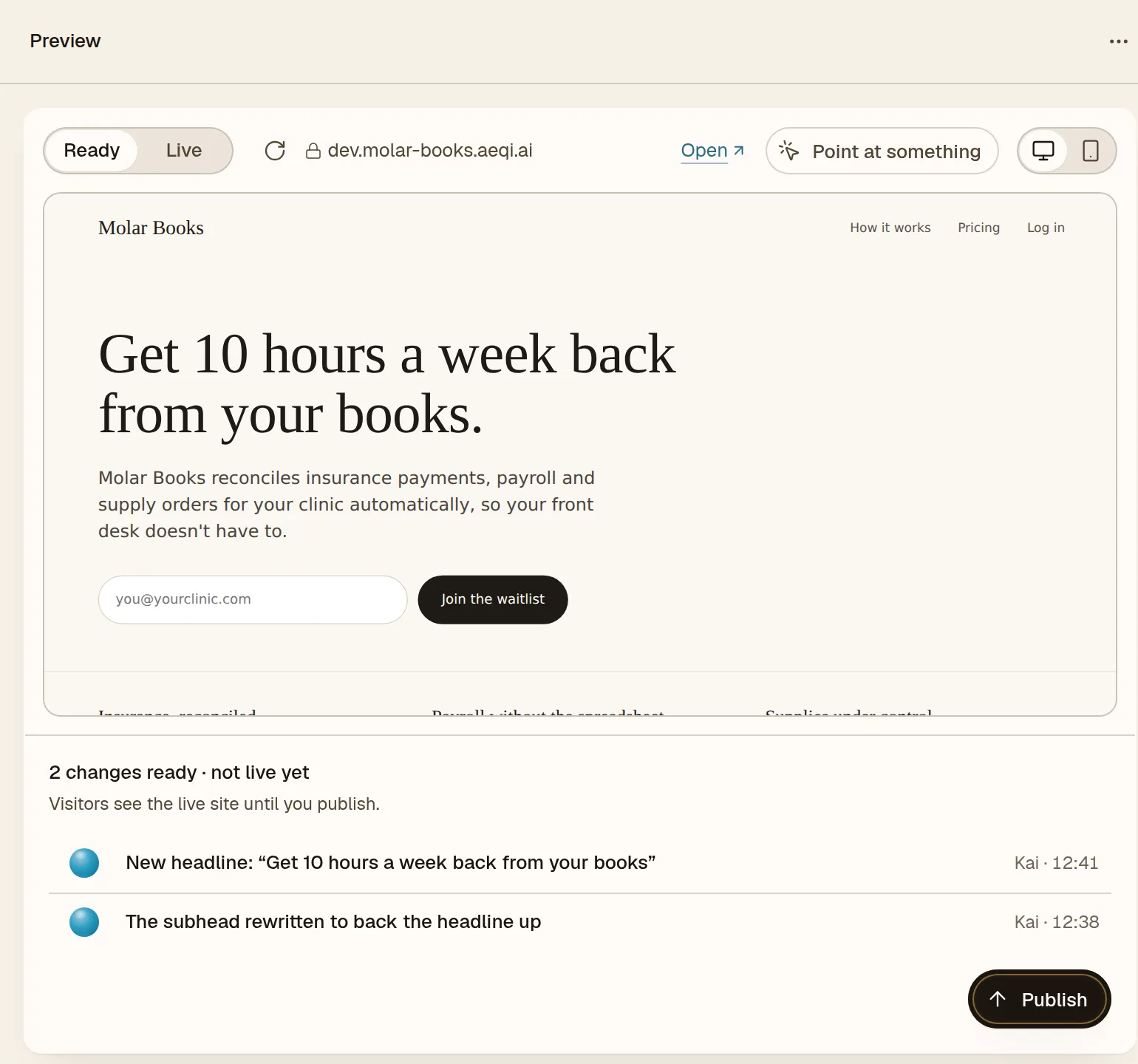
Open Engineering · Kai in the sidebar to see the site as a visitor does, on desktop or phone, with the preview and the live version shown apart. When changes are waiting, it says so: 2 changes ready · not live yet.
Point at what you mean
On the preview, press Point at something and click any part of the page, a heading, a button, an image, and tell Kai what should change about it. No need to describe where it is.
Use your own domain
Already own a domain, from GoDaddy, Namecheap or anywhere else? Open the domain card in Kai's website pane and type it in. AEQI shows you the records to add, or sends the steps to whoever manages your domain, or lets Kai set them for you. It checks until your domain is live and secured with HTTPS.
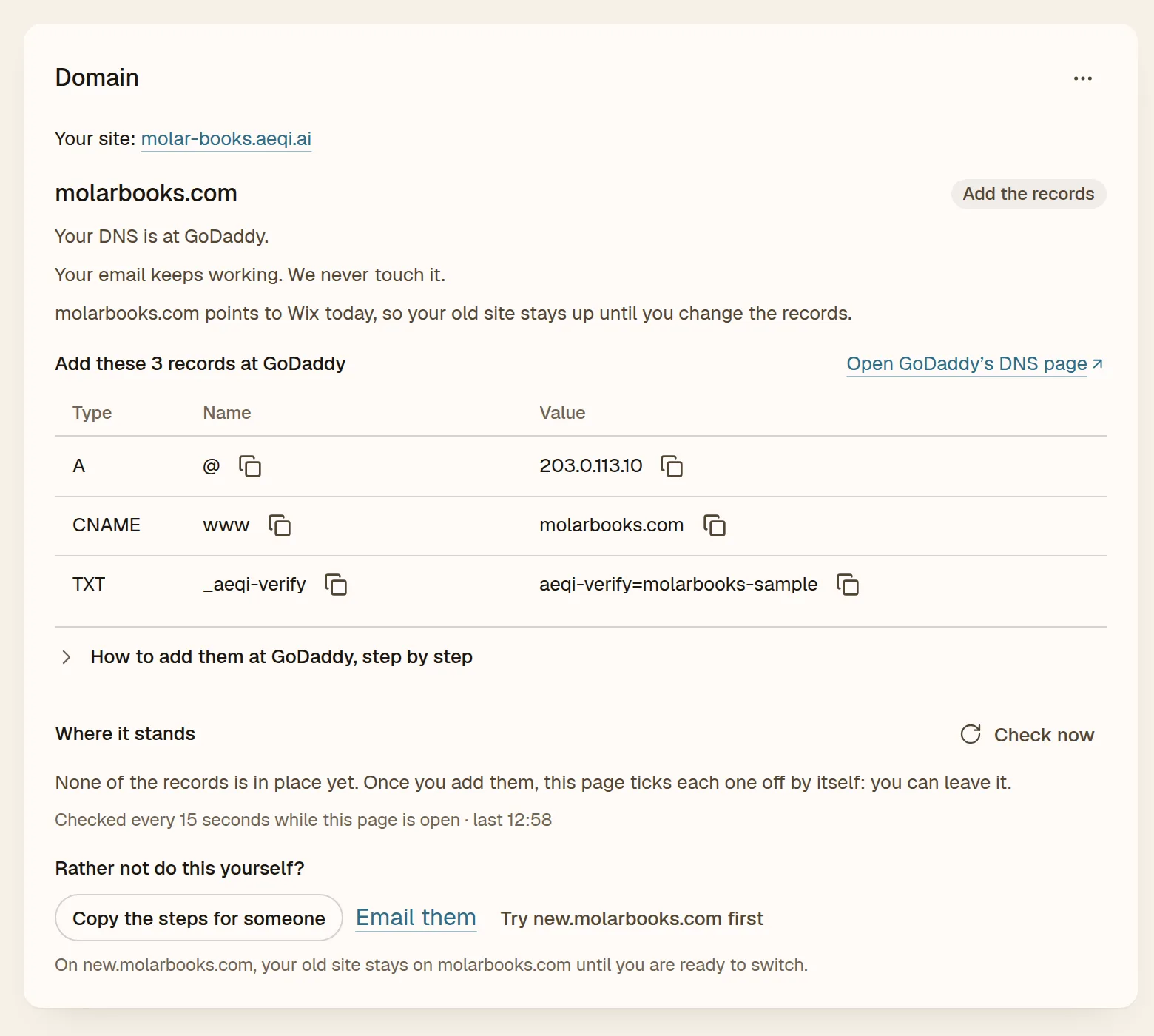
Your email keeps working, and yourname.aeqi.ai keeps working too.
Who else helps
- Vera (Design) reviews your site once a week as a stranger would, and hands Kai what to fix.
- Juno (Marketing) writes the words: your one-line pitch and the text on the page.
- Wren (Research) tells you what your competitors' sites say and charge.
Good asks
- "Rewrite the homepage for dental clinics, not dentists in general."
- "Add a waitlist form."
- "Make it feel calmer: fewer words, more space."
- "What would a first-time visitor not understand?" (ask Vera)